
Pet Retail Aisle Transformation
Not all work at ChaseDesign (now FutureBrand) resulted in execution; it was also used for research and testing in corporate innovation labs. People love their pets, and the rapidly growing pet care industry is proof of that. After being given the opportunity to proactively create and to create a new seamless shopping experience for new and seasoned pet parents. Key research showed potential challenges we hoped to solve:
Only organized by brand with zero product communication. This not only forced returning customers to purchase only tried-and-true brands but also left new customers stumped.
Missing products leave the shelf empty, which retail employees fill with extra product from different brands, limiting visibility for other brands and forcing customers to either leave without purchasing their preferred product or any product at all.
Agency: FutureBrand (formerly ChaseDesign)
Role: Visual Designer, Concept Direction, UX/UI
Programs: Photoshop, After Effects, Illustrator
Starting with the categories, we sectioned the aisle based on benefits and size: oral care, wellness, savory, and training. Oral care to keep your dog’s teeth healthy and reduce the risk of gum disease, Wellness for the stubborn pups who refused to take their medicine, and for treats that had extra nutritional benefits, Savory for the irresistible everyday treats and special snacks, and Training, which were small enough to fit in your pocket or pouch and easy to chew for puppies.
Headers, two on-shelf communication pieces (placards), and aisle blades to complement the new category separation and introduce a new concierge service for customers using an in-store application.
In-Aisle Solutions
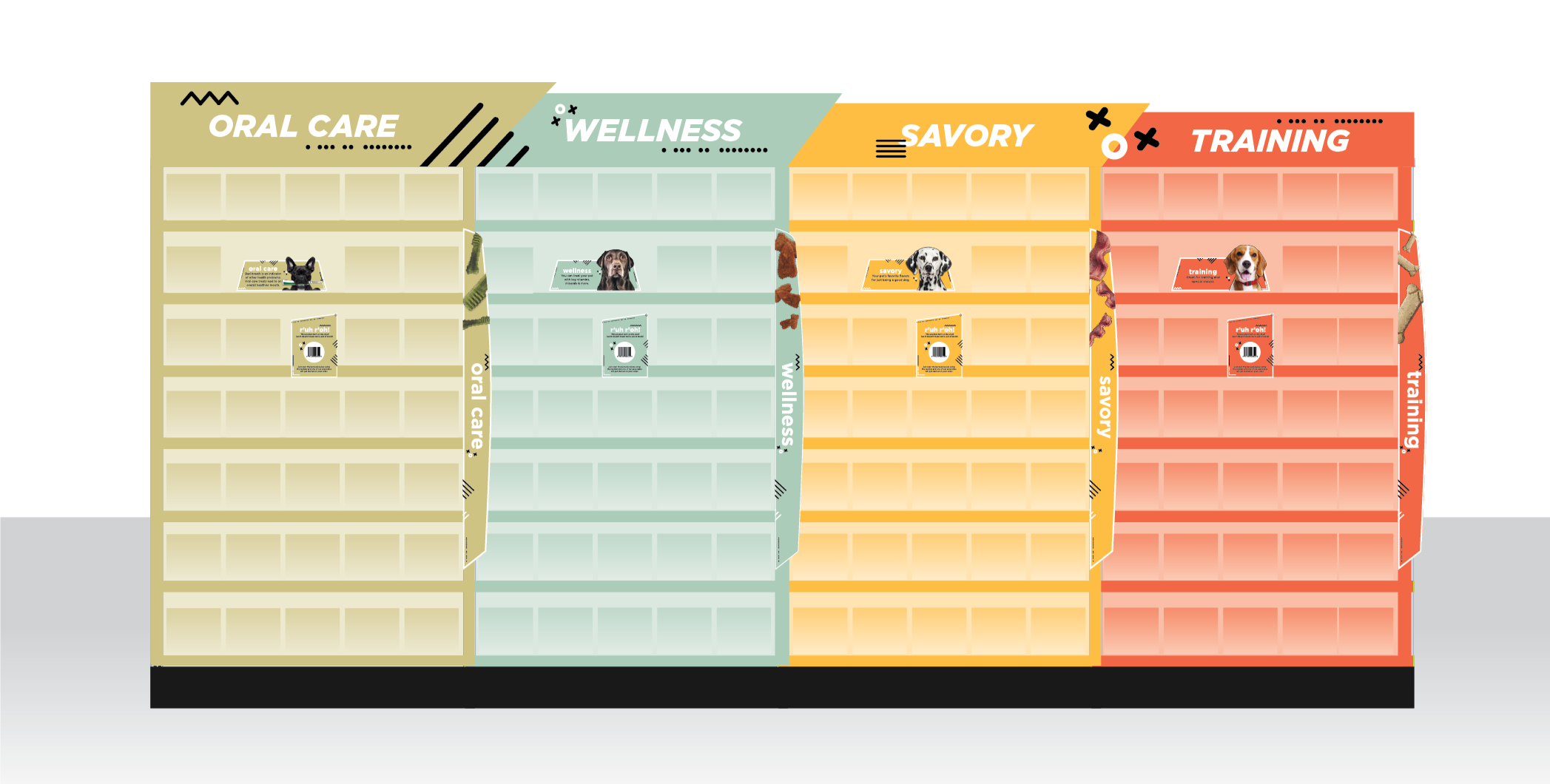
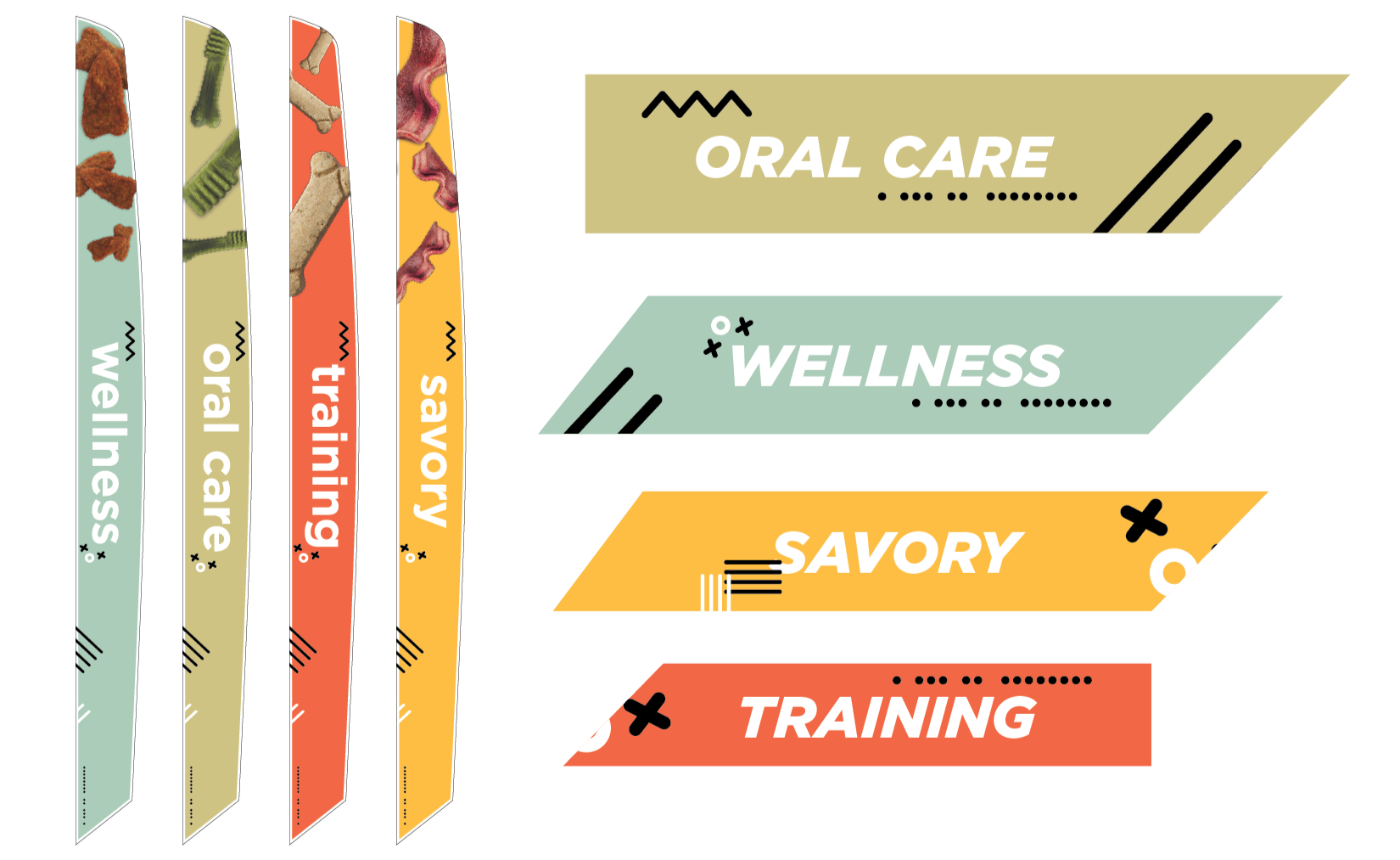
The aisle blades and headers serve as navigation to each category. The aisle blades feature product imagery to complement the category.
Headers and Aisle Blades
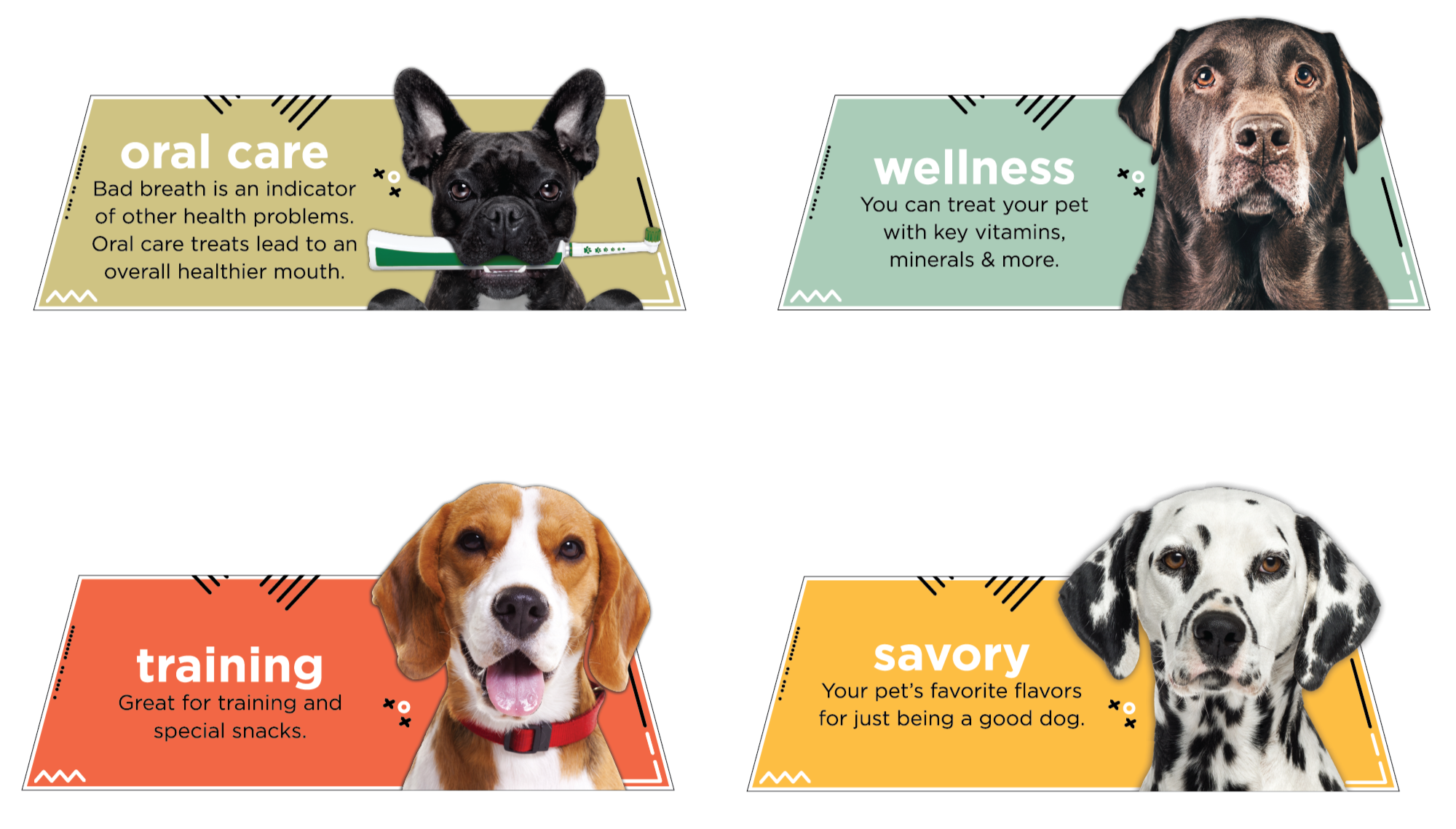
The communication pieces detail the benefits of each category. These are meant to sit on the shelf between the products.
On-shelf Placards
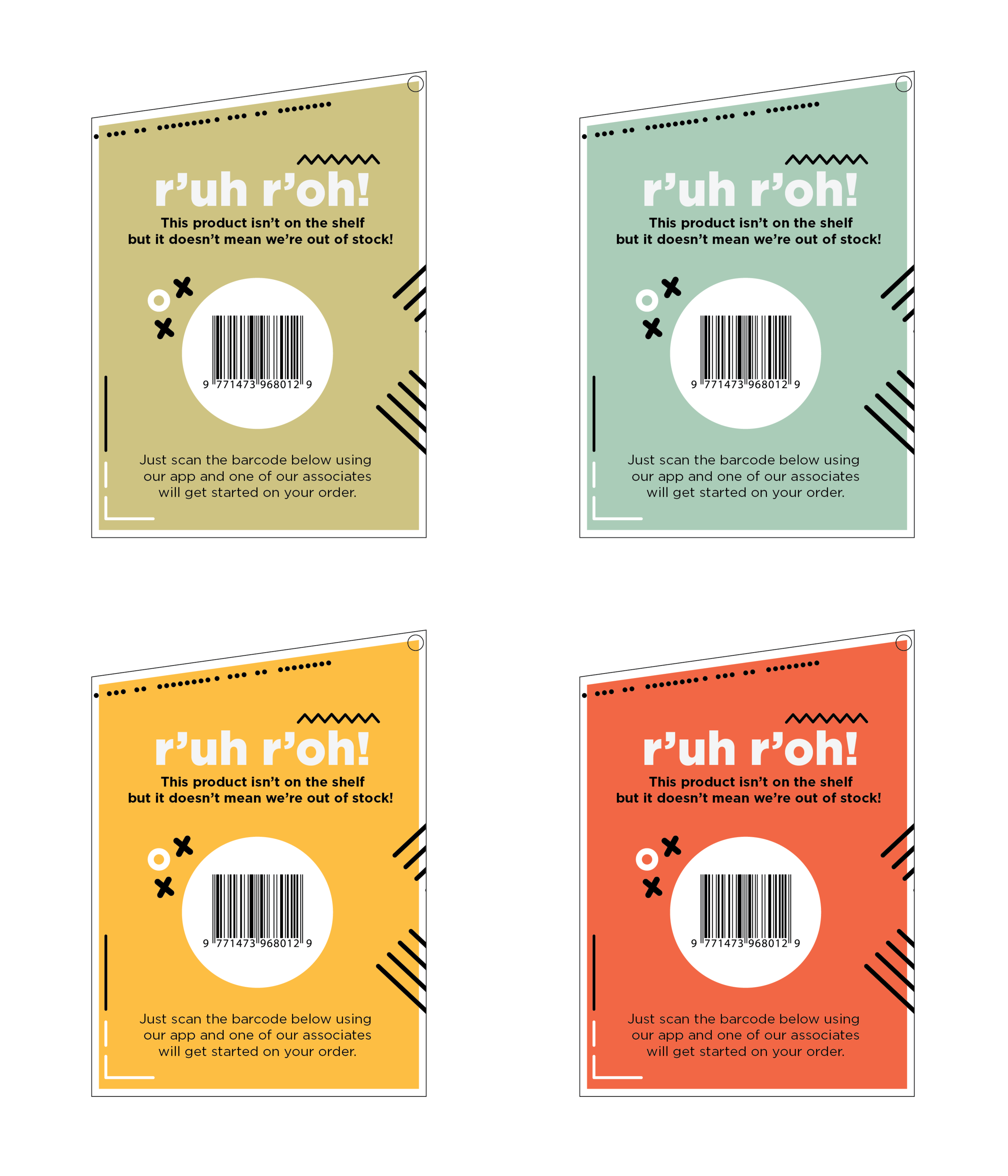
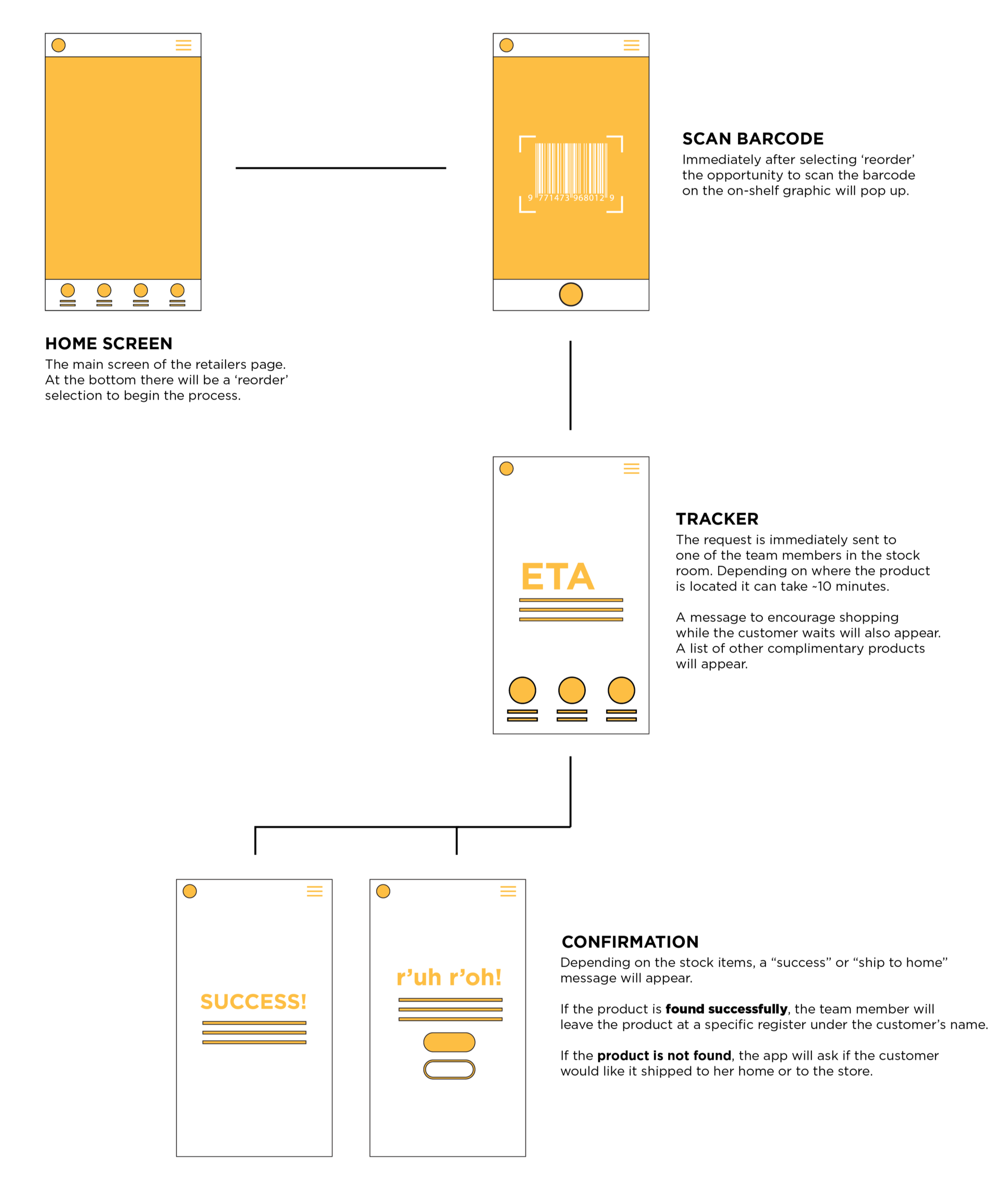
Customizable shelf graphic that prompts customers to use the retailer's app to request backroom associates to check their stock for possible "out of stock" items. Not only would this keep customers in the store longer as they browsed
Out-of-Stock Concierge
The aisle blades and headers serve as navigation to each category. The aisle blades feature product imagery to complement the category.